Inspector
The Inspector lives in the Right Rail (Ctrl + 2). It shows per-source properties and provides quick paths to the source files.
Scopes
The Vectorscope and Waveform sections sit at the top of the Inspector. Expand one to turn it on; collapsed scopes cost nothing. The scopes read the source itself, before your View, and the label above each one says how it is being interpreted:
- Input — OCIO is on: the scope follows the clip’s Input from the Color panel.
- Assumed — OCIO is off: the colorspace is taken from the file’s tags, or from the Transfer pill when you have set one (the targets are dimmed).
- Signal — nothing to go on: the raw signal.
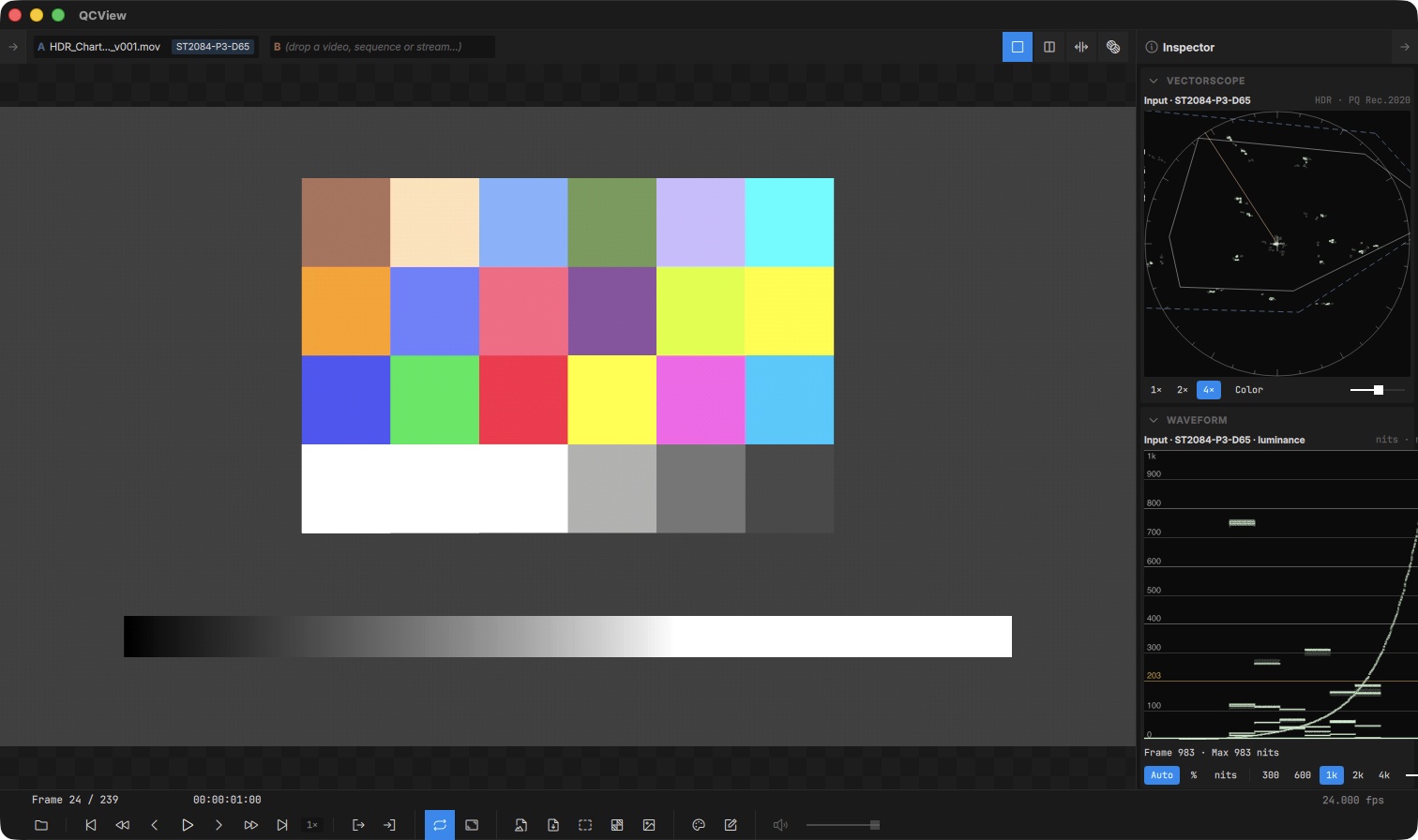
Vectorscope — colour-bar targets, Rec.709 / P3 / Rec.2020 gamut outlines and the skin-tone line. The 1× 2× 4× buttons zoom, Color tints the trace by hue, and the slider sets the trace brightness.
Waveform — the signal’s level by image column, on one of two scales:
- Percent (SDR): the signal’s own Y′ from 0–100 %, with room above and below so super-whites and sub-blacks show.
- Nits (HDR): linear luminance, with lines at 300, 600, 1000, 2000 and 4000 nits (pick the top of the scale with the
300 … 4kchips) and an amber line at 203, HDR graphics white (BT.2408). PQ and HLG sources plot their absolute luminance. An SDR or scene-linear source on this scale puts its white at 100 nits, what a reference SDR monitor shows, so an SDR clip beside a PQ master in dual view reads where a monitor would put it.
Under the trace, Frame · Max gives the brightest level in the current frame and the highest seen since the clip started; hover it for the brightest channel, and click Reset to start over.
Choosing the scale — the Auto · % · nits chips. Auto follows the interpretation above: SDR sources on percent, everything else on nits. % and nits force one or the other; the scale label says (manual) while a forced scale disagrees with Auto. Forcing nits needs something to convert from, so a Signal-tier source stays on percent. The choice is shared with the vectorscope and remembered between launches.
Sources without usable tags — an HDR export whose file carries no transfer tag reads as SDR and lands on the percent scale. Tell the scopes what it is with the Transfer pill (see Per-clip properties); streams have the same control on the live strip.
In dual view each side is read from its own file, drawn in its own colour.
Path actions
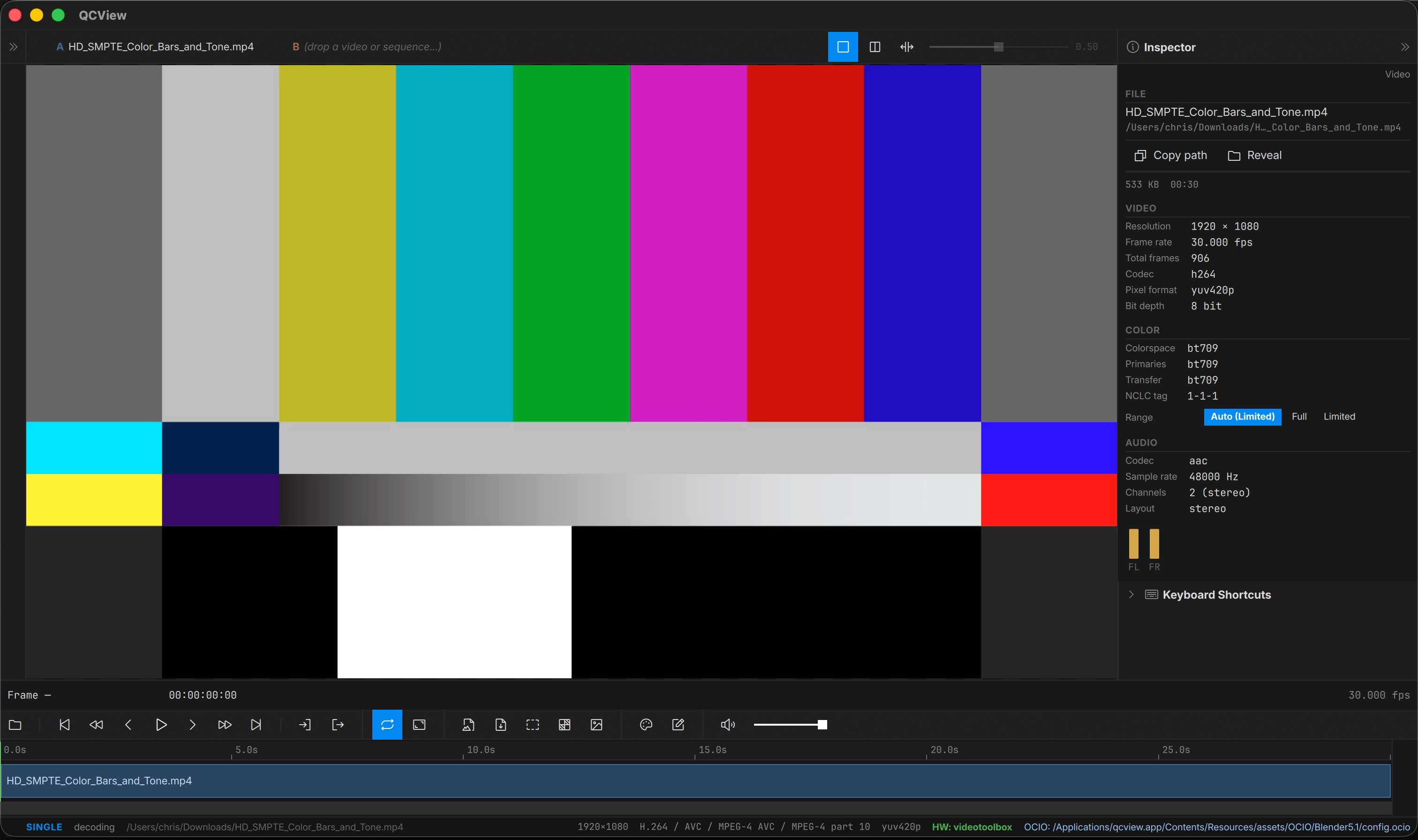
The Inspector shows the file path of the currently-loaded media with two path actions:
| Button | Action |
|---|---|
| Copy path | Copies the path to the clipboard (native separators on each OS) |
| Reveal in Explorer / Finder | Opens the containing folder and selects the file |
File and video details
The File card names the container family (QuickTime, MP4, MXF, Matroska…) and, for MXF, the operational pattern — OP1a (interleaved, what Adobe Media Encoder / Premiere / Resolve write) versus OP-Atom (Avid’s one-essence-per-file layout) — plus the authoring tool when the file records one (MXF identification set, QuickTime ©swr, Matroska writing app).
The Video card shows the codec and its flavor in export-menu terms: ProRes 422 / HQ / 4444, and for Avid VC-3 the Compression ID is read from the first frame so you get the actual bandwidth name — DNxHD 36 / 115 / 145 / 175 / 220…, the x suffix marking the 10-bit variants (175x, 220x), DNxHD 444, and the resolution-independent DNxHR LB / SQ / HQ / HQX / 444 classes. A Bitrate row lists the video stream’s rate when the container declares it (or DNxHD’s fixed nominal), with the whole-file average alongside.
Projects saved before these fields existed are back-filled on open with a header-only re-probe — no full re-scan, and offline volumes are simply retried next launch.
Per-clip properties (pills)
Several properties are stored per media item and shown as togglable pills in the Inspector:
- Transfer override — tell the scopes how to read a source whose tags are missing or wrong: Auto follows the file’s tags (the pill says what Auto resolves to, e.g. “Auto (SDR, untagged)”), or pick SDR 709, PQ 2020, PQ P3, HLG or Linear. Untagged sources read as SDR, so an HDR export without tags needs this to measure in nits. With OCIO on, the clip’s Input still drives the picture and the scopes; the pill then only feeds the scope’s mismatch note. Streams get the same control on the live strip, since a stream is never probed: an SRT feed’s tags arrive with the session, and a QCBridge feed carries none by nature. Image sequences and stills have the same pill on the Image Sequence card, where Auto means scene-linear for EXR and sRGB for everything else.
- Video range override — force the decoder to interpret the source as limited or full range, overriding container metadata. Useful for sources that are mis-tagged. Auto follows the container tag; when the file carries no tag, Auto falls back to the convention for the pixel class and says so on the pill — YCbCr sources assume limited (what every player assumes), RGB sources (uncompressed RGB, Animation, PNG/TIFF-in-MOV…) assume full and are shown exactly as stored — with one codec-level exception: untagged Avid DNx 4:4:4 (RGB included) is read as limited, the Avid codec’s own convention and how Avid / After Effects interpret it. Pick Limited on any other RGB source to expand video-level RGB (16–235) to full. The Color card’s Range tag row shows the container’s tag (or “untagged”) and, when the container is silent, where the effective range came from (e.g. “decoder: limited”).
- Timecode Origin — pick which embedded timecode track drives the playhead readout (DV, TimeCode, MXF), or From start to ignore embedded timecode and count from frame 0.
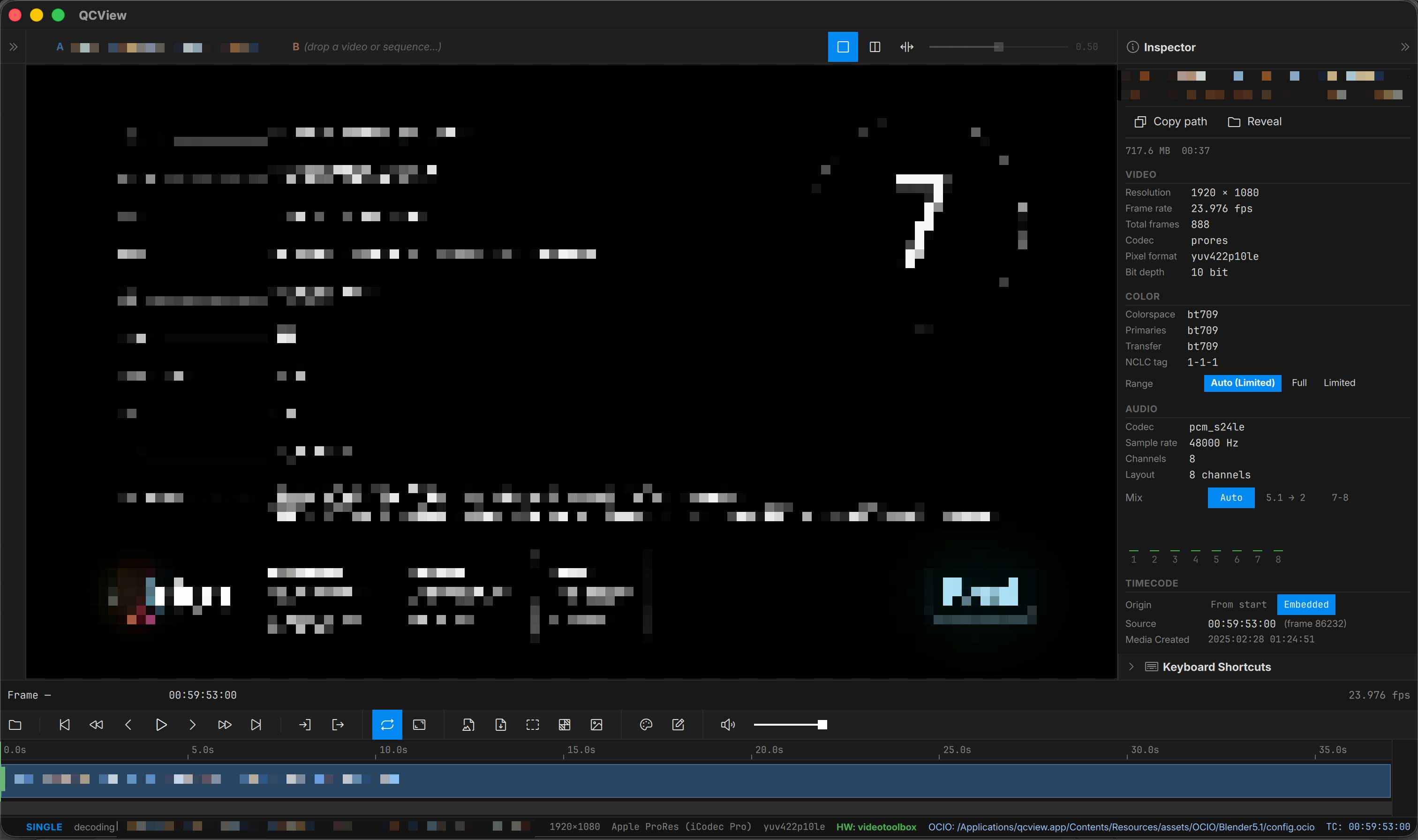
- Broadcast Master Audio Mix — pick which mix you want to preview. If QCView detects a broadcaster master with 6 or 8 tracks, it will perform a technical mix of the tracks for preview. If stereo tracks are on tracks 7 and 8, they will be automatically selected. Click on the 5.1 toggle to preview the 5.1 downmixed to stereo.
Pill states persist with the project on save and re-apply on open.
Adobe Projects
The Adobe Projects section scans the file’s metadata via ExifTool for linked source projects. If QCView finds After Effects or Premiere project references, it displays them with an Open button to jump to the source project.
Image Sequences
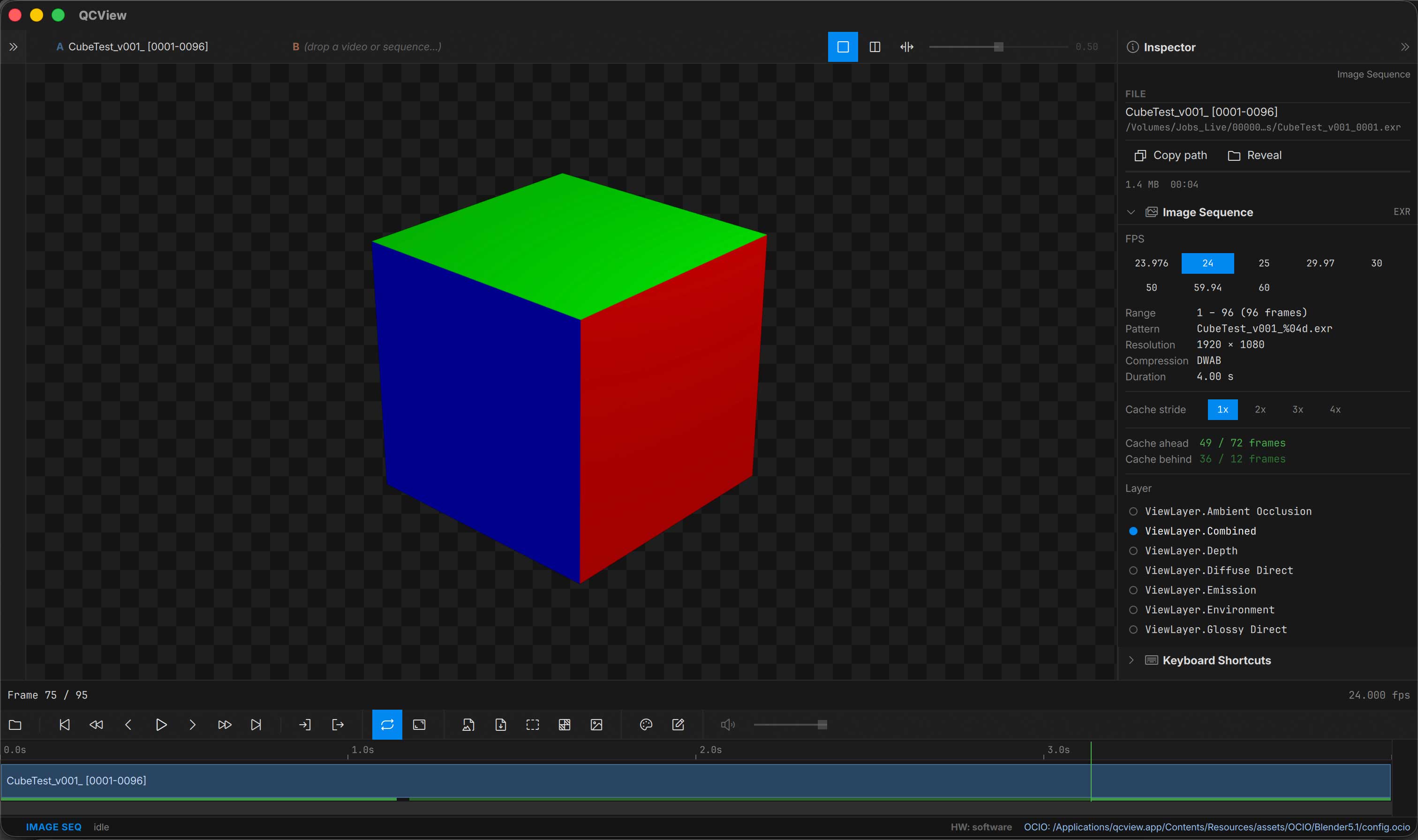
For image sequences, the Inspector displays resolution, frame count, format, and per-format details (EXR compression and channel layout, etc.). You can select which layer set to view, adjust framerate, and select a skip-frame stride for heavy sequences that won’t playback without help.