QCView
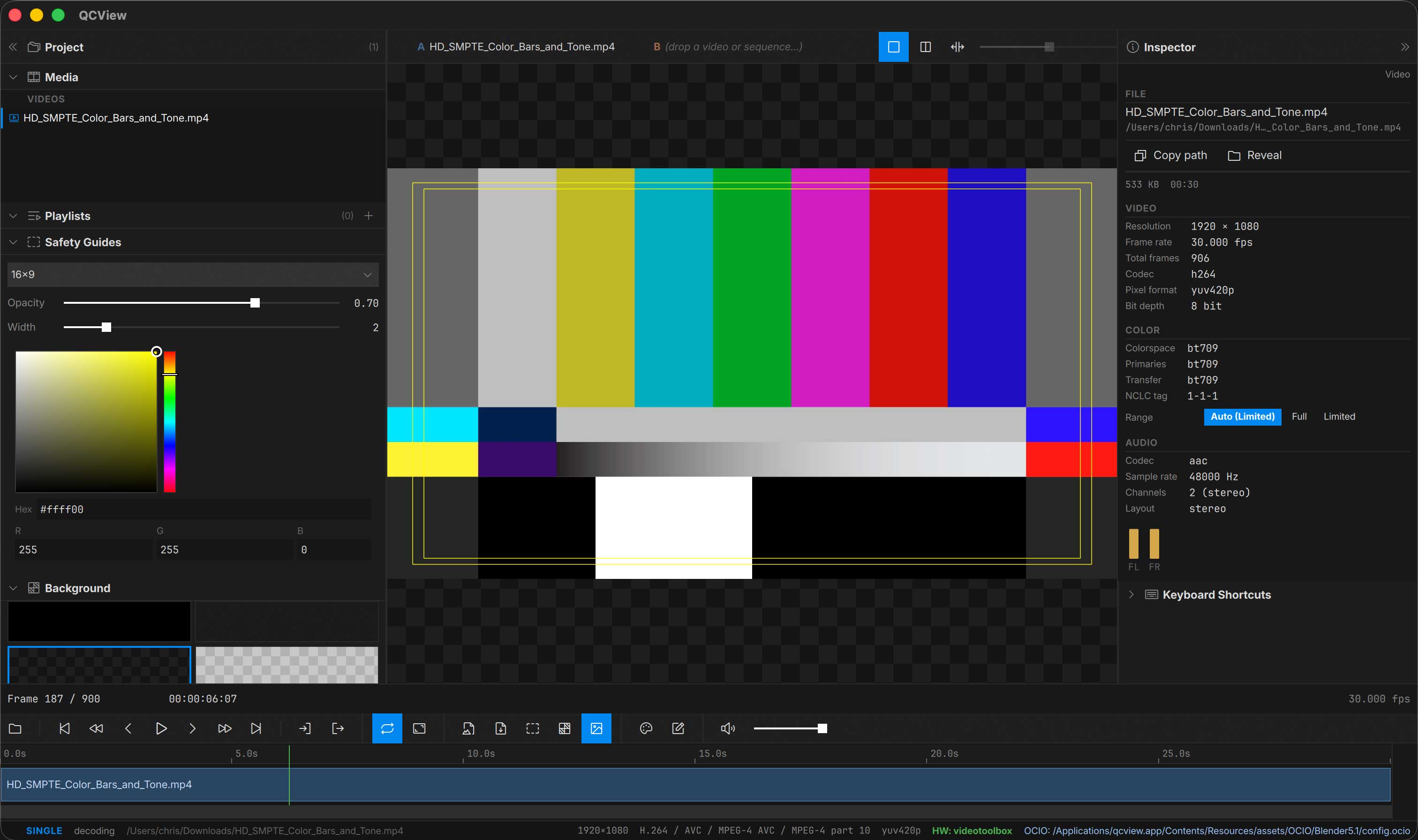
QCView is a media player and reviewer for Windows and macOS, built for artists and post-production teams who need accurate, color-managed playback of video, EXR, and image sequences.
Key Features
Playback
- Hardware-accelerated video decoding — Vulkan/D3D11-video on Windows, VideoToolbox on macOS, with FFmpeg software fallback
- HDR10 (PQ / ST.2084) on Windows via DXGI + DirectComposition; Extended Dynamic Range (EDR) on macOS
- Frame-accurate stepping with press-and-hold fast forward / rewind
- Playlists with cross-clip seek, per-clip in/out trims, and hover thumbnail filmstrip
- Embedded timecode (DV / TimeCode / MXF) with selectable origin
- Audio playback (WASAPI / CoreAudio) with per-channel routing for multi-stream broadcast deliveries
- A/V sync offset trim, separate dual-view value
Image Sequences
- OpenEXR with multichannel and multipart support
- TIFF, PNG, JPEG sequence playback
Color
- Live OCIO color management, with a colour chain per clip and per side of a dual view
- Bundled OCIO configs: ACES 2.0, ACES 1.3, Blender 5.2, Blender 5.1
- A second, OCIO-free colour engine, minColor: Input → Highlight Knee → AgX → Rendering (un-tone-mapped or OpenDRT) → Display, from the minColorAE core
- Compact Mode (
Ctrl + Shift + C): the window becomes the picture plus one slim strip, no title bar, no panels - Always on Top (
Ctrl + Alt + T): a pin on the transport row and the Compact strip keeps the window above every other app’s, and is remembered - Highlight Knee for reviewing HDR masters on SDR displays; ASC CDL and
.cubeLUTs - GPU vectorscope and waveform (nits on HDR sources, manual % / nits scale) with a peak readout, and a per-clip Transfer override for sources without usable tags
- Screenshots and notes exports apply the OCIO transform
Live Feeds and Output
- Live sources: After Effects and Premiere Pro through QCBridgeAE (full-float picture, Premiere’s audio), Blender through QCBridge, and SRT streams
- Notes on a live feed: freeze the frame, draw, review it again later; notes live in the project with capture time and host timecode, and open in minNotes
- Output: the corrected viewport with mixed audio as an NDI® source (QCBridgeN), out of an AJA device’s SDI and HDMI as 10-bit RGB at 1080p or UHD, SDR, PQ or HLG (QCBridgeA), or as an H.264 + AAC stream over SRT or RTMP to Louper or any server, encoded by the GPU, with automatic reconnect
Review Tools
- Annotations + notes with brush, line smoothing, screenshot illustrations, and Markdown / HTML / PDF / DOCX export
- Dual-view comparison: side-by-side, split-wipe with mouse-drag seam, difference mode, independent A / B controls, a live feed on either side
- Title-safety guides for broadcast and social-media deliverables
- Live background switching for alpha-channel review
Project Support
- Adobe project metadata import (Premiere / After Effects timecode + project links via ExifTool)
- Custom project files (
.qcvproj) qcview://URI scheme for sharing file paths
Documentation
Use the sidebar to browse the full manual, including installation, playback basics, color management, annotations, and more.
Links
QCView is free software released under the GNU General Public License version 3.