Settings
Open Settings with Ctrl + , (or Tools → Settings…). The panel reveals in the Left Rail under the Settings section.
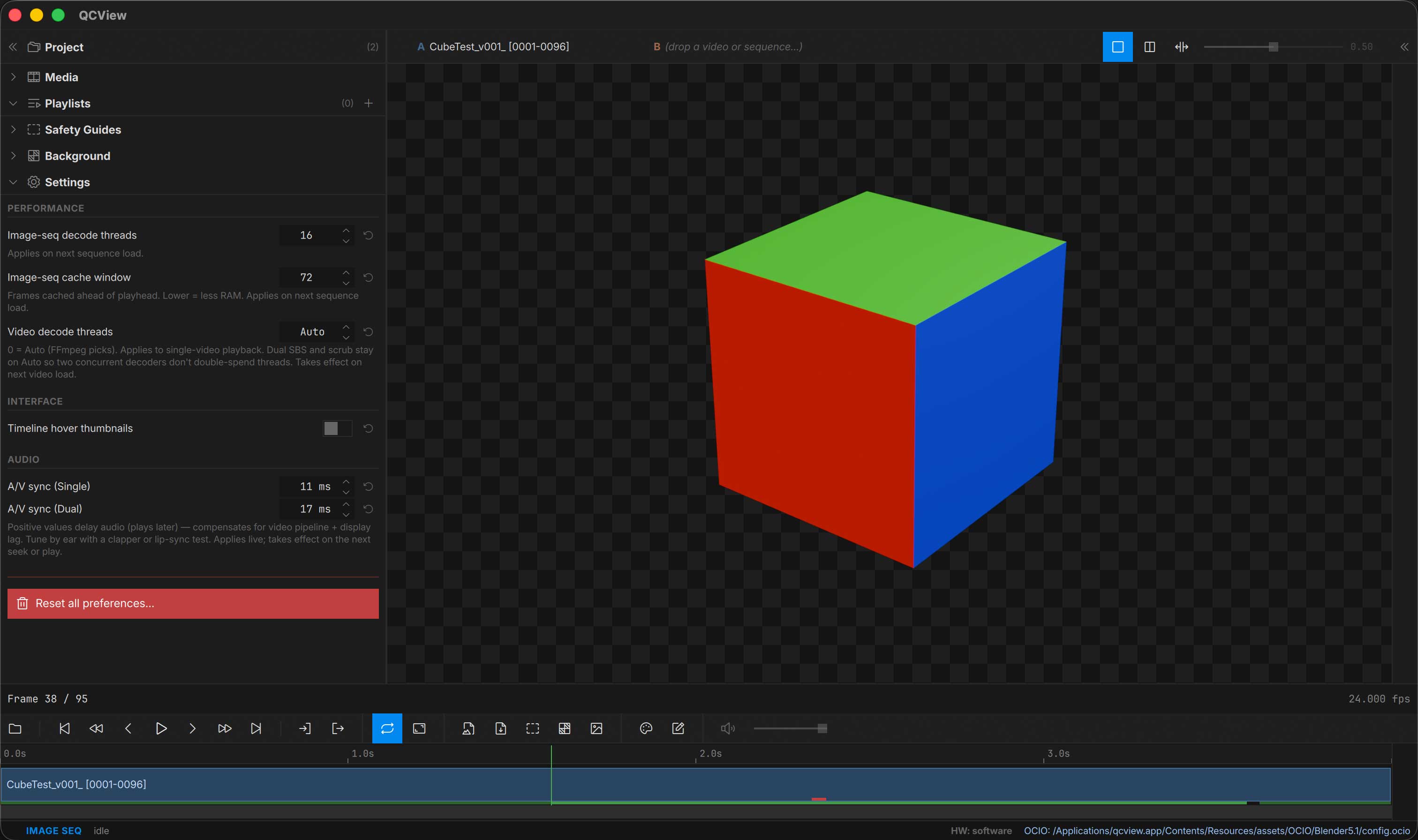
Image Sequence Settings
Image sequence threading and cache window sizes are already set fairly aggressively by default. Consider making them smaller on a computer with fewer threads or less RAM; increasing these is unlikely to be beneficial.
A/V Sync Offset
A default A/V sync offset trim is applied at session start. Here you can customize them to your system. The single-source flow and dual-view flow store separate offsets — your sync trim for compositing two sources doesn’t get applied to single-source playback and vice versa.
Drag Viewport to Move Window
On by default. Click and drag anywhere on the viewport to move the whole window, the way media players do. A plain click still does nothing, and the drag does not move the window while a drawing tool is selected, while you are dragging the Split-Wipe seam, or in fullscreen. Turn it off here if you use a tablet and would rather a press with no tool never moves anything.
Hover Thumbnails
Toggle the timeline hover thumbnail preview on or off (low-RAM systems or focus-mode users may prefer it off).
Language
Settings ▸ Interface ▸ Language picks the interface language. System default follows the operating system; the list shows the languages QCView ships. The change applies at once. Languages marked machine translation were produced by a machine pass and not yet read through by a person, so expect the odd awkward term; corrections are welcome, and the translations folder explains how to send them.
Live audio
Two settings apply to the audio a QCBridge feed carries: A/V sync (Live), an offset per host application that delays the audio (or, when negative, holds the picture) so the two meet on your system, and the live audio buffer, the depth the feed’s jitter buffer fills to before it plays. Raise the buffer if a busy host chops the sound; lower it for a tighter feel.
Output
Outputs — the NDI® sink, the AJA SDI / HDMI sink and the stream to a review service — have moved out of Settings into their own Output section in the Left Rail. See Output.