Project Panel
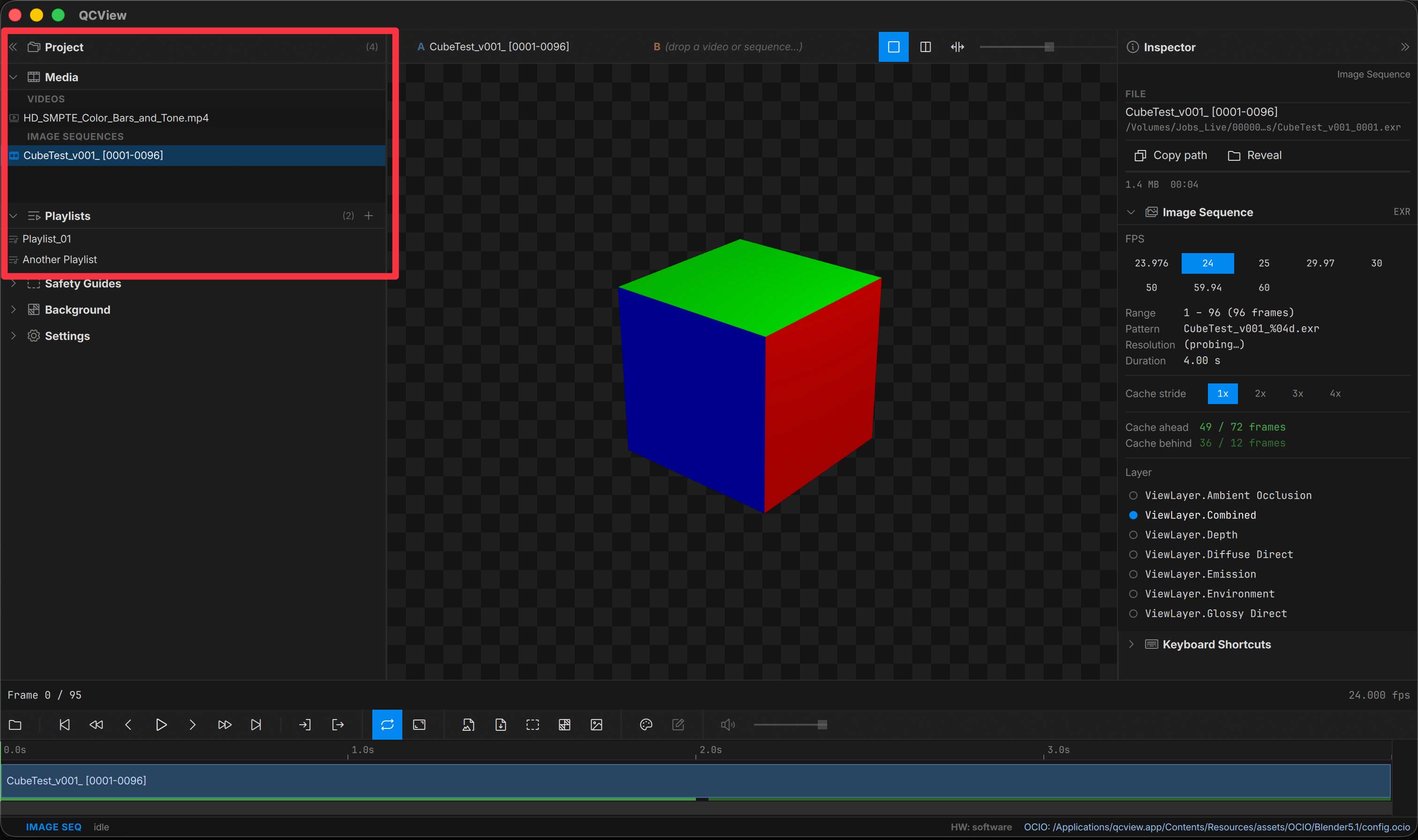
The Project panel lives in the Left Rail (Ctrl + 1). It organizes media into bins by type.
Bins
- Media — video, image-sequence, and audio sources
- Playlists — saved playlist timelines
- Dual Views — saved A/B dual-view setups
| Action | Result |
|---|---|
| Double-click a media item | Load it into the viewport and timeline |
| Double-click a playlist or dual view | Load that timeline / dual setup |
| Drag a media item | Drop onto the viewport, into a playlist’s timeline, or onto a dual-view track |
Dragging items past the app’s borders is restricted to a link-action drop so the OS doesn’t trigger a file move by mistake.
Clip colour
A clip that has its own colour chain (set in the Color panel’s Clip group) shows a badge on its row: its Input, plus anything else it sets. Hover the badge for the full names.
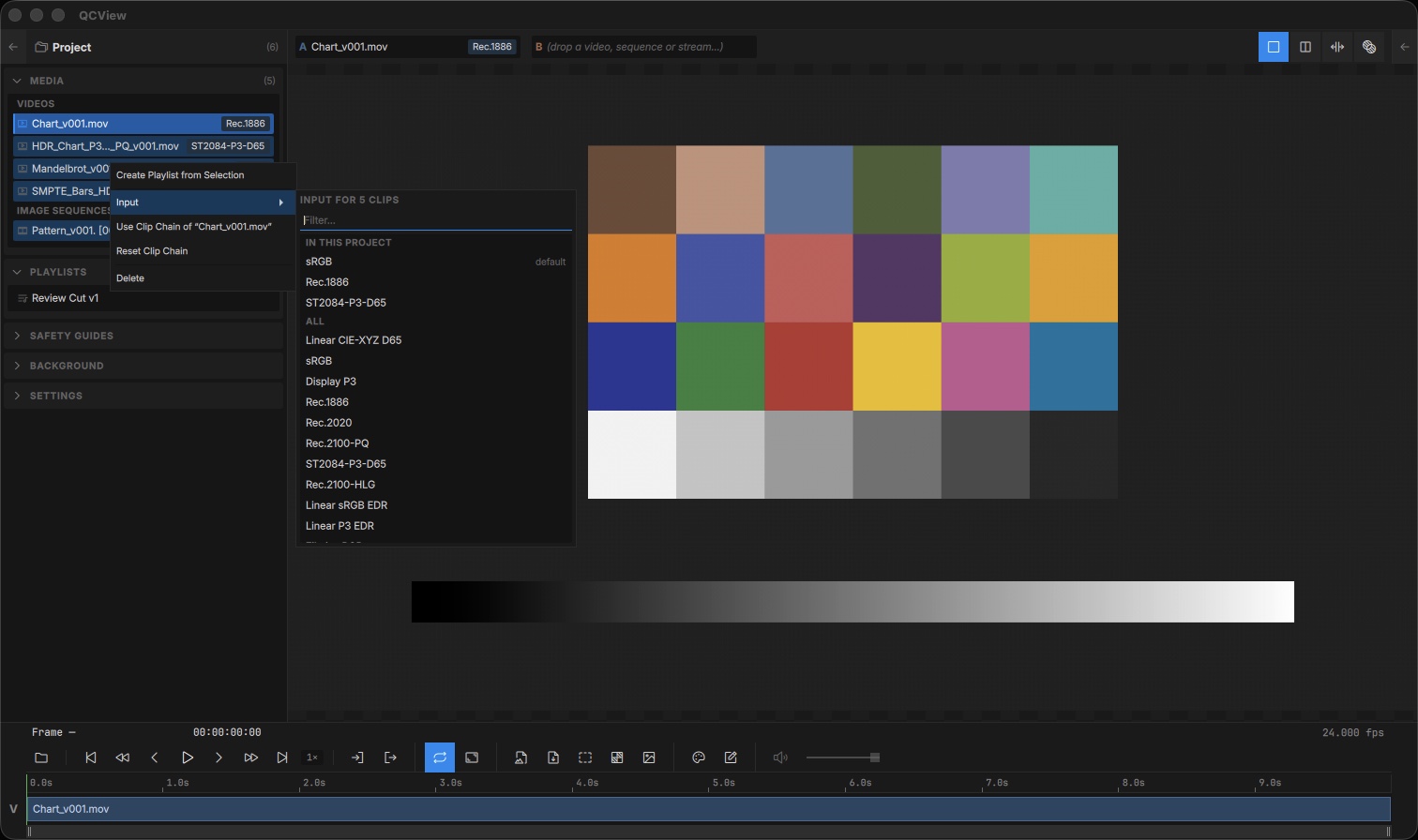
Right-click one or more selected clips for bulk colour actions:
| Action | Result |
|---|---|
| Input › | Opens a picker to set the Input on every selected clip. Type to filter; the Inputs already used in the project are listed on top, with the default marked. Enter picks the first match. |
| Use Clip Chain of “…” | Copies the chain of the clip on screen to the selected clips |
| Reset Clip Chain | Clears the selected clips’ own chains, so they follow the default again |
Save / Load Projects
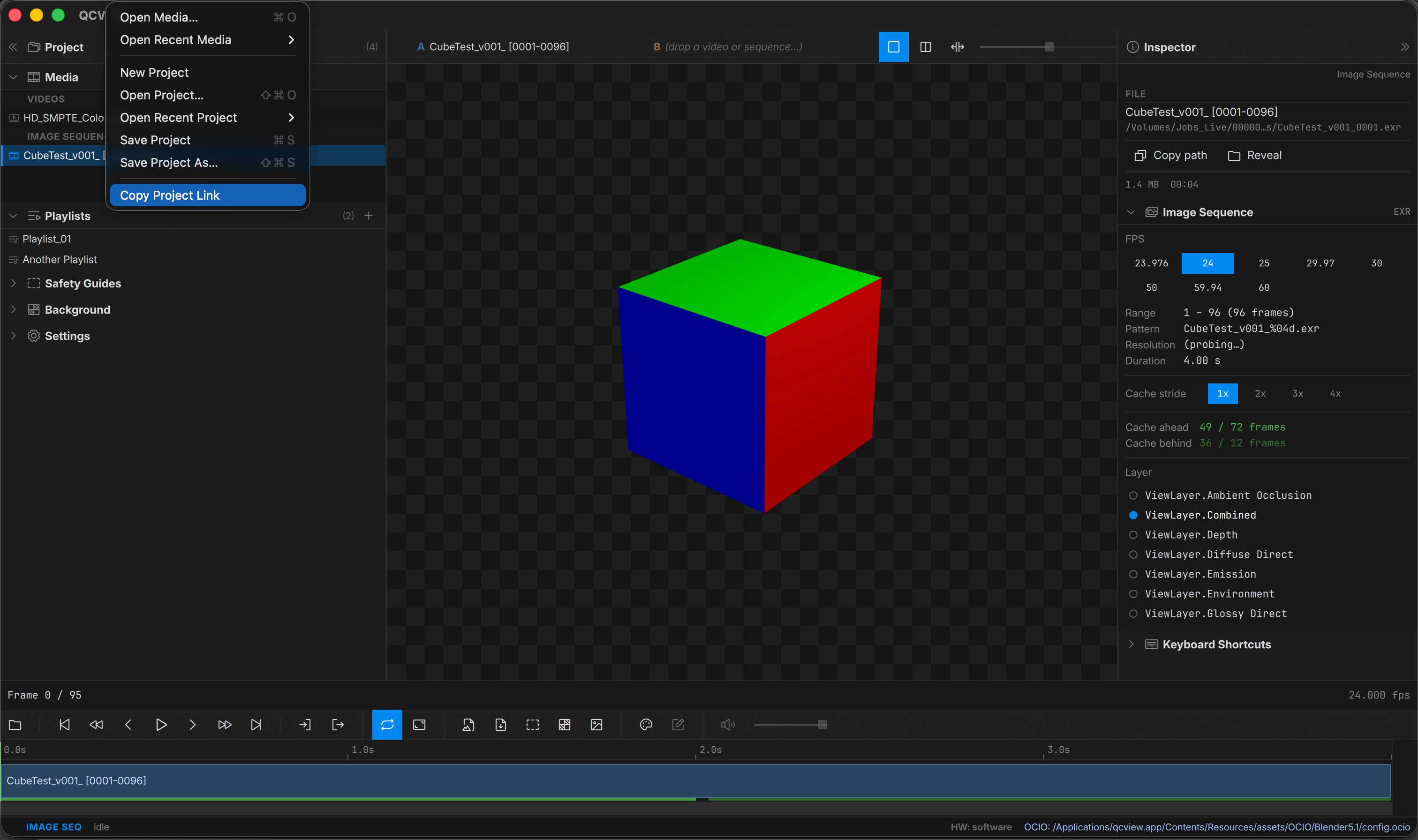
Save your current session — all media, playlists, dual views, and per-item properties — to a .qcvproj file. Reopen it to pick up where you left off.
Project Links
QCView registers a qcview:// URI scheme for sharing direct links to saved projects. Paste a qcview:// link into Slack, Teams, or email; clicking opens the project — as long as the recipient has access to the same file system. Copy this link to your clipboard from the main menu under File.